You’ve Fixed the Listing—Do You Still Have to Paste It Back Into the Backend Field by Field?
On this page
A Collective Rewrite of More Than 900 Million Titles
On June 10 this year, Amazon announced in its seller forum that, except for media categories, all product titles must be limited to 75 characters, including spaces. Any selling points that do not fit must be moved to the new Item Highlights field, which provides an additional 125 characters. The new rule will take effect from late July, and titles exceeding the limit will gradually be replaced with AI-recommended versions by the platform.
According to Amazon’s statement as reported by eCommerceBytes, sellers had updated more than 984 million product titles after the new rule was announced. That is just one platform.
Many sellers list the same product on Newegg, Amazon, and eBay, but the field structures differ across the three platforms. For example, eBay has an 80-character title limit and no separate five-bullet field. When the rules change, sellers often have to revise the listing according to three different sets of standards.
The Part That Really Takes Time Usually Isn’t the Rewrite

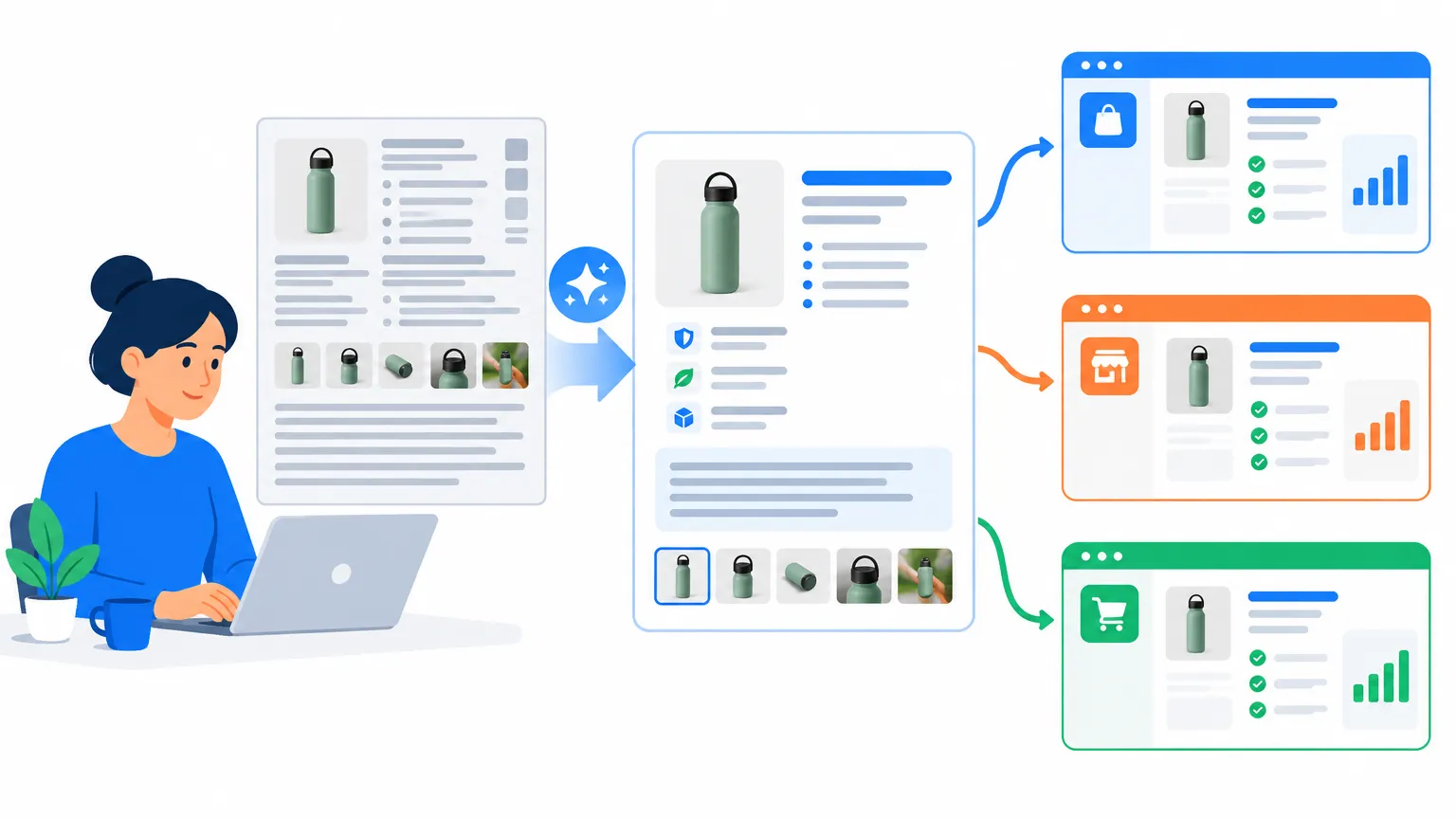
Today, AI can rewrite a Listing and deliver the result within minutes. Yet many operators find that the following 30 minutes are where the real time disappears.
You get the revised title, Item Highlights, and bullet points in one window, then switch to Seller Central, find the product, open the editing page, and paste each field one by one. The five bullet points have five separate input boxes. A message from a colleague interrupts you while you are pasting the third one. When you return and continue, you discover only after submitting that the third and fourth bullets were swapped.
Images are even more troublesome. The seven newly designed image panels must first be downloaded locally and then uploaded one by one in the correct order. If the main image, detail images, or size chart is placed incorrectly, you have to start over.
Submitting the changes does not mean the process is over. The storefront may take several hours to refresh, while longer descriptions sometimes take until the next day. You can only check periodically to see whether the changes have taken effect.
Then you open the eBay seller backend and do it all over again.
This kind of manual transfer can lead to three types of problems:
- Fields pasted incorrectly or left blank: The title, bullet points, and description no longer align, leaving buyers with a contradictory Listing.
- Online content gets overwritten: For example, Amazon may have already used AI to update your title under the new rule, but you paste back a revised version based on the old one.
- A bad update has no way back: If you did not save the original copy, you can only try to reconstruct it from memory.
If this can happen with one SKU, imagine multiplying it by dozens or hundreds of SKUs across three channels. That can consume an entire week.
Treat “Fixing” and “Writing Back” as One Process

Instead of treating write-back as manual labor after the rewrite, include it in the workflow from the start. Here are several practical approaches:
- Compare against the online version before writing back. After the new rule takes effect, the live title may no longer be the version you originally wrote. Check the differences first, then decide which content to overwrite.
- Decide what to write back by field instead of overwriting the entire Listing. If the title needs changes but the description is fine, update only the title and leave everything else unchanged.
- Keep a way back. Save the previous version before every update so you can restore the original in one step if something goes wrong, rather than reconstructing it from memory.
- Factor in update delays. Images and long descriptions may take time to refresh on the storefront. Do not rush to make a second update after submitting, or multiple submissions may overwrite one another.
- Revise and write back separately for each platform. Since field structures differ, one piece of copy rarely works perfectly across all three channels.
From Rewrite to Publication, Remove the Extra Step
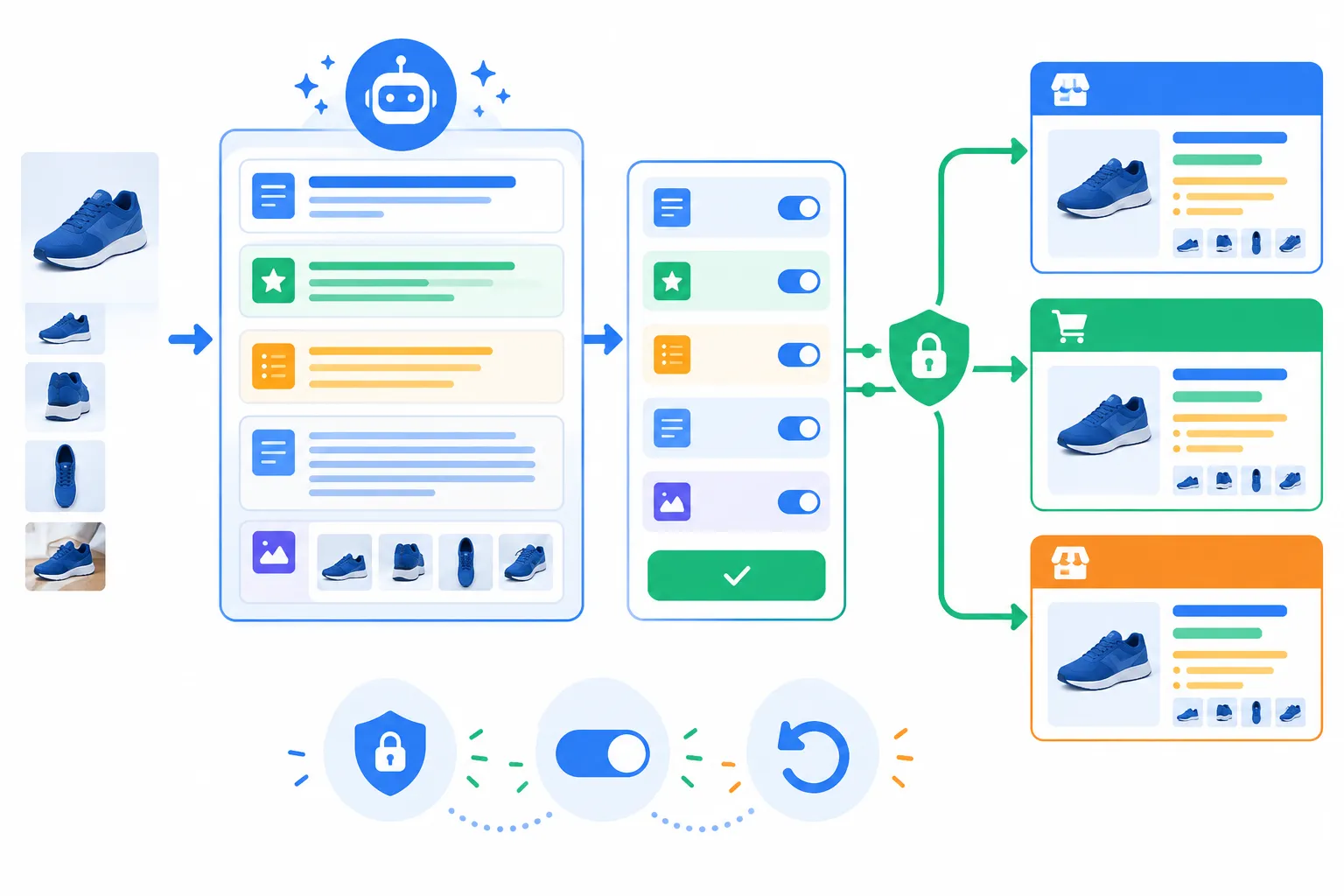
That is what we built into Niceggie’s Listing AI plugin. The plugin already supported syncing optimized content directly back to Newegg stores. It now adds Amazon and eBay as supported channels.
The general workflow is simple: after authorizing your stores in the Authorization Center, the revised title, product highlights, bullet points, description, and image panels are compared item by item with the online content. You select the parts to write back and submit after confirmation. The most recent update can also be undone. The write-back process uses the platforms’ official open APIs, so you do not need to enter your store password, and authorization can be revoked at any time. Amazon support currently covers the US marketplace.
After submission, the storefront usually takes several hours to refresh. Longer descriptions typically update the next day, while images may take up to 24 hours. There is no need to keep refreshing the page during this period.
If you do not want to authorize your stores for now, that is fine. Diagnosis and rewriting remain available as usual, and you can copy the revised content out with one click. Write-back is simply another option.
Final Thoughts
Platform rules will continue to change. Today it is a 75-character title limit; tomorrow it may be a different field. Listings deserve careful refinement, but moving revised content back into a store should not take up half your time. Use Listing AI to sync everything with one click.