Sign in
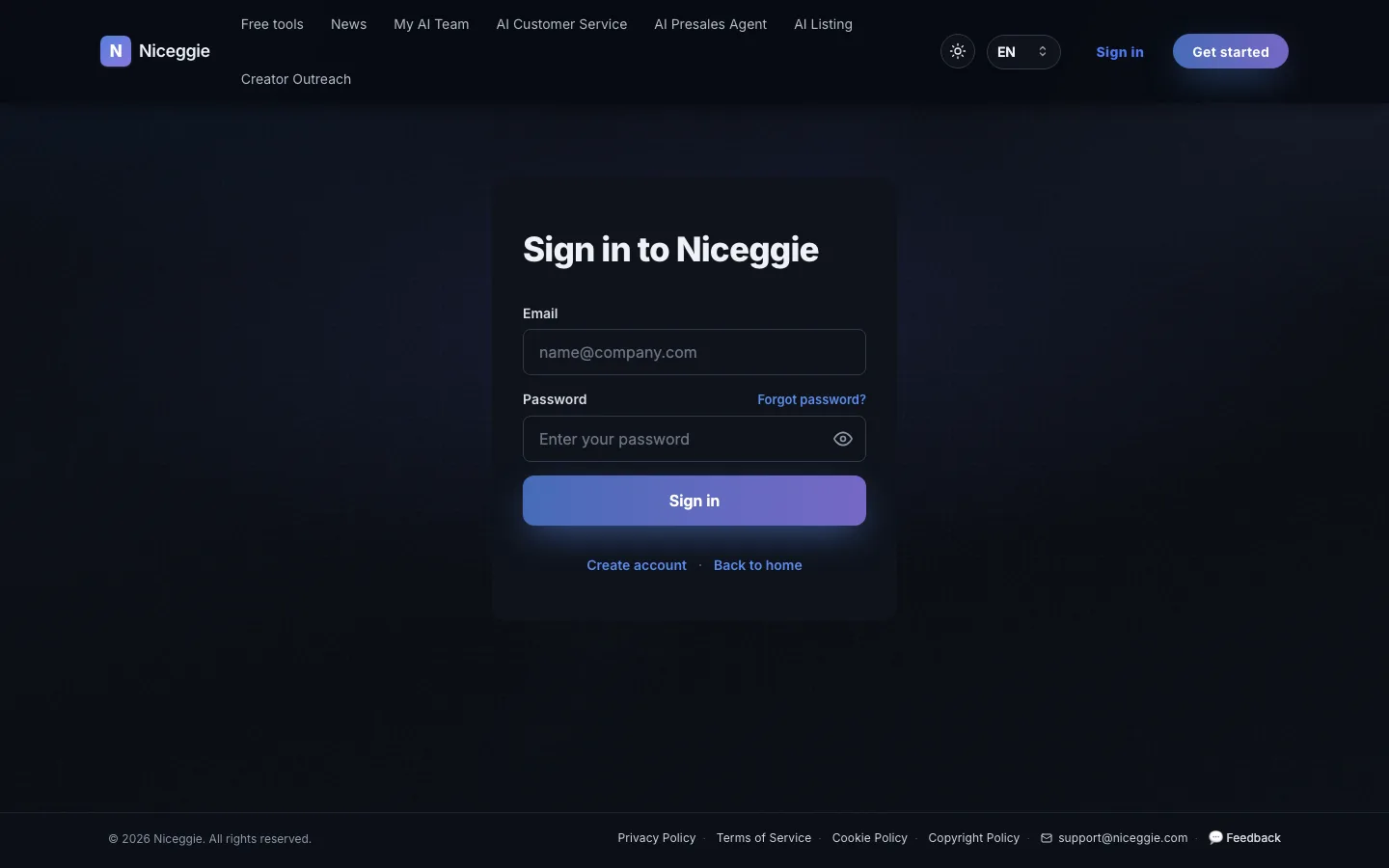
Steps
- Go to https://www.niceggie.com/login
- Enter the email and password you registered with
- Click "Sign in" to reach the dashboard
Sign in with Google or Outlook
The sign-in page also offers "Continue with Google" and "Continue with Outlook". Click either button, pick the account in the provider's window, and you go straight to the dashboard — no Niceggie password to type.
Use the method you signed up with
If you created the account with an email and password, sign in that way; if you signed up through Google or Outlook, use the matching button.
Your User Center
After signing in, open the avatar menu in the top-right corner and choose User Center.
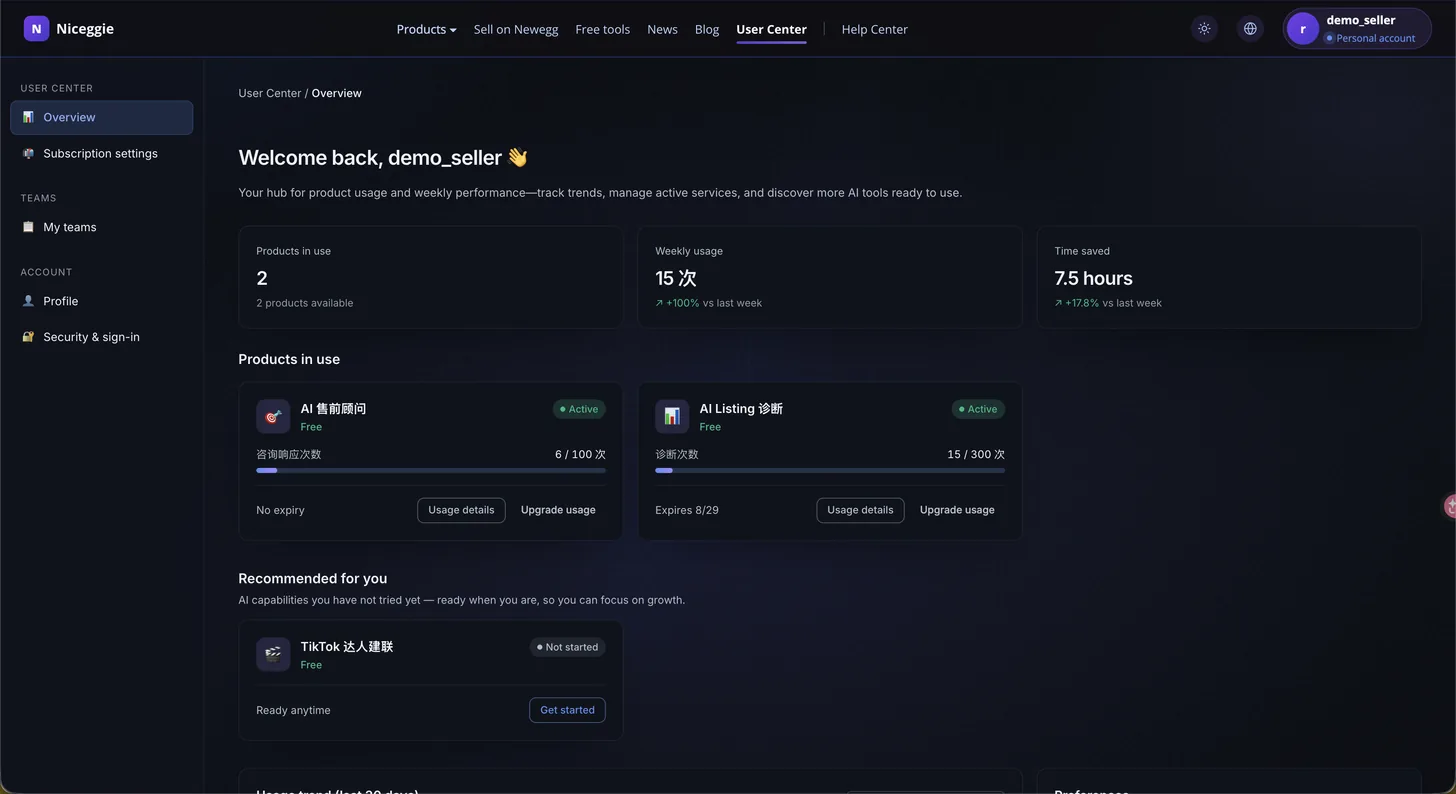
| Section | What's there |
|---|---|
| 📊 Overview | Products in use with remaining quota, weekly usage, estimated time saved, a 30-day usage trend, and preferences (dark mode, quota alerts) |
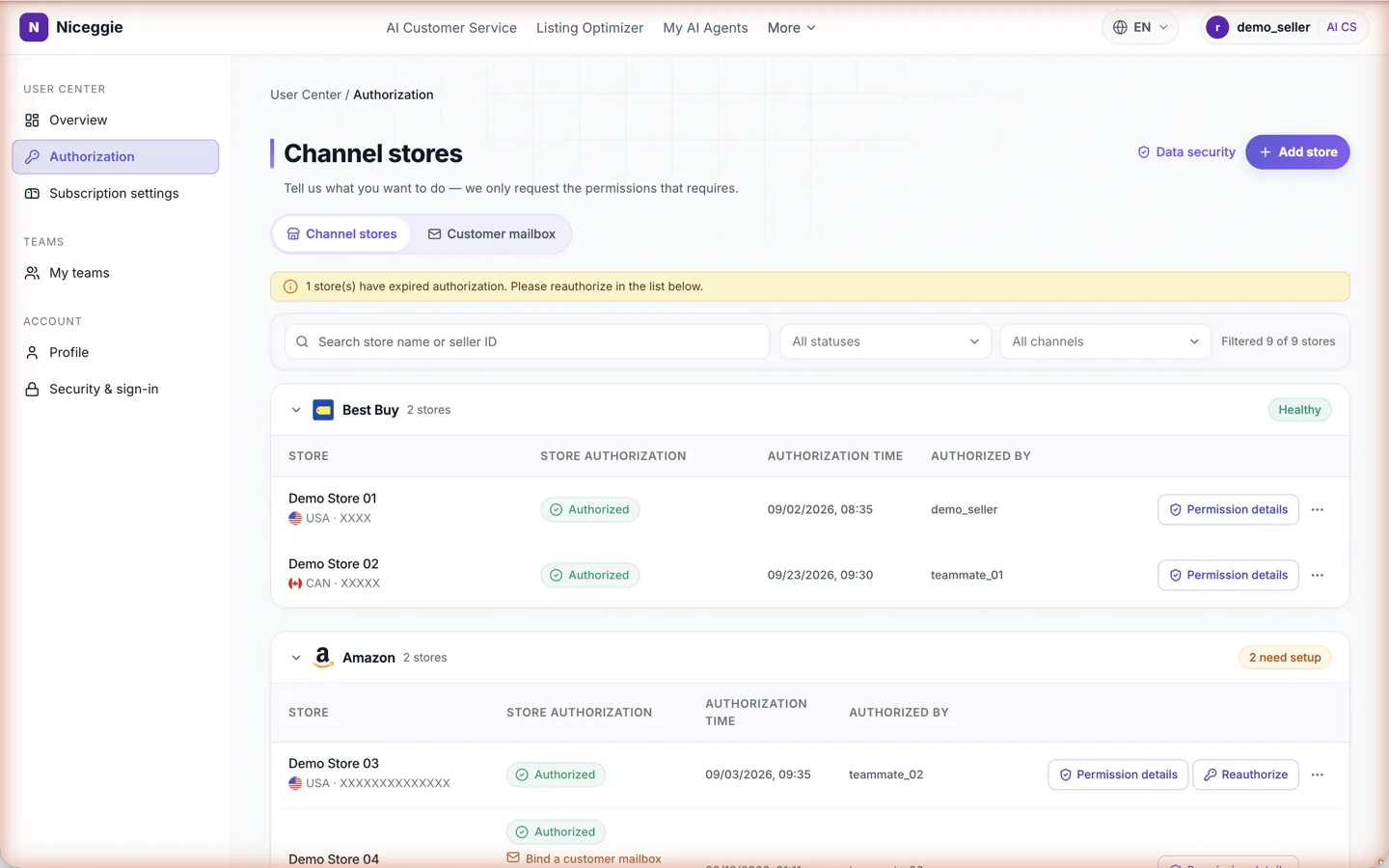
| 🔗 Authorization | Channel stores — add, rename, reauthorize or delete marketplace store authorizations (eBay, Best Buy, TikTok Shop, Amazon, Newegg and more); Customer mailbox — bind the support mailboxes AI Customer Service reads, choose the folders to sync and the stores each mailbox is linked to |
| ⚙️ Subscription settings | Manage announcement emails (unsubscribe any time) and newsletter preferences — delivery weight (primary-site priority / balanced / interest-first), core platform (Amazon / TikTok Shop / Newegg), multi-select interest areas, and email content language (Chinese / English / Japanese) |
| 👥 My teams | Create teams and invite members (up to 10 teams) — the personal plan does not support team collaboration |
| 👤 Profile | Edit your display name (the sign-in email can't be changed) |
| 🔐 Security & sign-in | View your sign-in email and reset your password via email |
Under Authorization → Channel stores, stores are grouped by marketplace with their authorization status, time and who authorized them; each row has Permission details, and expired stores get a Reauthorize button. The Customer mailbox tab lists the bound support mailboxes.
What you can do after signing in
- Open the AI Customer Service workbench — all six channels are open; buyer messages sync in once a mailbox is bound or a store is authorized
- See usage records and quotas for AI Presales / AI Listing / Creator Outreach — free quotas are included with every account
- Manage your presales agents: knowledge base, embed code, chat logs, MCP servers
- Review your Listing AI console and AI image suite history
- Download / re-download the Chrome extensions
Forgot your password?
Click "Forgot password" on the sign-in page and enter your email to receive a reset link. You can also reset it any time under User Center → Security & sign-in.
If the email doesn't arrive, contact support@niceggie.com.
Switch language
Niceggie supports English / 中文 / 日本語. Use the Language menu at the top of the site to switch.