AI Image Suite
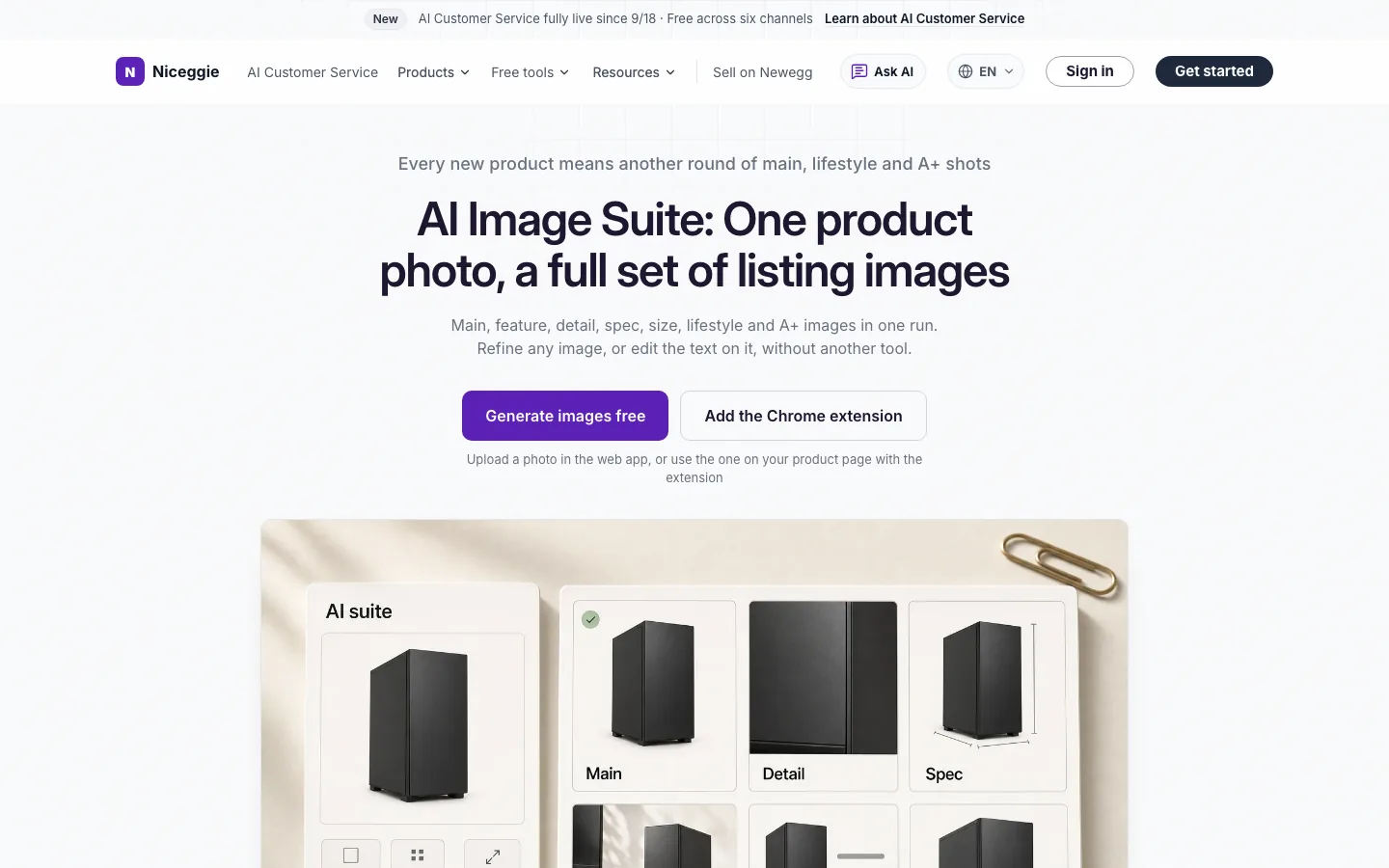
In one line: One product photo in, a full set of listing images out — main, feature, detail, spec, size, lifestyle and A+ images in one run. Refine any image or edit the text on it without another tool. Works in the web app and inside the Listing AI Chrome extension; 60 free images every 30 days, no store connection.
Where to use it
| Entry point | How the photo gets in |
|---|---|
| 🌐 Web app — AI Image Suite page | Sign in and upload a product photo |
| 🧩 Chrome extension — on a product page | Pick the photos and your brand logo straight from the page, upload them, or reuse images saved in your cloud library. After a Listing AI rewrite, the panel offers "Next: make an image set from this copy", so the images follow your new title and bullets |
Quota and the media library are shared between both.
Three steps
- Pick a photo — upload one, or pick it on the product page.
- Choose types and style — tick the image types, how many of each, and the scene style. Generate just the product set, just the A+ set, or everything.
- Generate — all seven types at once, previewed one by one.
Seven image types
| Type | What it's for |
|---|---|
| 🖼️ Main | White-background hero shot that meets marketplace main-image rules |
| ⭐ Feature | One selling point per image, with the copy on it |
| 🔍 Detail | Close-ups of materials, ports and finishes |
| 📐 Spec | Parameters laid out on the image |
| 📏 Size | Dimension lines and scale references |
| 🏡 Lifestyle | The product in use, in a scene you choose |
| 📰 A+ | A+ content modules, stitched into the long image |
A+ images
Standard A+, Premium A+ and mobile A+ are all supported. The long image is split automatically into upload-ready sizes. Delete a module you don't want and the rest are stitched back together — no need to regenerate the whole page.
Refine and edit
- 🖌️ Local refine — mark the area to change and describe it in one sentence; the rest of the image stays untouched
- 🕘 Version history — every refine round is saved as its own version in a thumbnail rail; undo, redo and jumping back to any version cost no quota
- ✏️ Text overlay edit — change the feature, spec and A+ module copy directly on the finished image
- 🌐 Image text translation — the text on an image is detected and replaced with the target language, so one set serves several markets
- 🔎 Side-by-side review — reference on the left, result on the right, each side zoomable (Ctrl / ⌘ + scroll); the left side can switch to the reference copy to show which title and bullets this version was generated from
Before you publish
- 🏷️ AI-generated people disclosure — Amazon's contains-synthetic-performer tag applies to images that contain a fully AI-generated realistic person. In the extension you switch it on per image, on the result card or in the single-image preview; it is written into the JPG's metadata on download, and a batch download tags each file separately. The first download of a tagged image in a batch asks for a quick inline confirmation.
- 📁 Everything lands in your media library — generated and captured images are saved to the console's Media library, where you can filter by source and type, batch-select and download anytime.
Quota
- 60 AI images every 30 days on the free plan, refilling on a rolling 30-day window
- Separate from the Listing AI diagnosis and rewrite credits — image generation never uses them, and refine undo/redo never uses images
- Need more? Tap "Request more quota" in the extension or the web app, or ask about Pro through "Contact Us"
How many images can I generate for free?
The free plan includes 60 AI images every 30 days, refilling on a rolling 30-day window. Tap "Request more quota" in the extension or the web app if you need more.
Do I need the extension?
No. Sign in to the web app and upload a product photo. With the Chrome extension you can also pick the photo right on a product page on Amazon, Newegg, eBay, Walmart, Mercado Libre or TikTok Shop, and generate images from the copy Listing AI just rewrote.
Which images can it make?
Seven types: main, feature, detail, spec, size, lifestyle and A+ content images. Generate just the product gallery, just the A+ set, or everything, and choose the count and style.
Will my product photos be used to train AI?
No. Under Niceggie's Terms of Use, the photos you upload are your Customer Data and are never used to train or improve any AI model, and Niceggie contracts for its AI providers not to train on them either.
Do I have to tag every AI image as containing a synthetic performer?
No. The tag is only for images with a fully AI-generated realistic person — plain product images, retouched real photos and cartoon figures don't need it. Switch it on per image in the extension; images with it off are downloaded without the tag.
Related
- Listing AI — diagnose a live product page and rewrite only the parts you tick, then make the image set from the new copy