AI Customer Service
In one line: One inbox for six marketplaces and 10+ mail providers. AI reads the order, gauges the buyer's mood and drafts the reply — you confirm in the workbench and it goes straight to the buyer. Recurring questions can run on auto-reply rules.
Fully live since 18 September 2026
All six channels are open. Create a Niceggie account and the workbench opens right away — linking a support mailbox, authorizing store channels, setting up the knowledge base and writing auto-reply rules are all self-serve, with nothing to apply for and no charge until you use AI features.
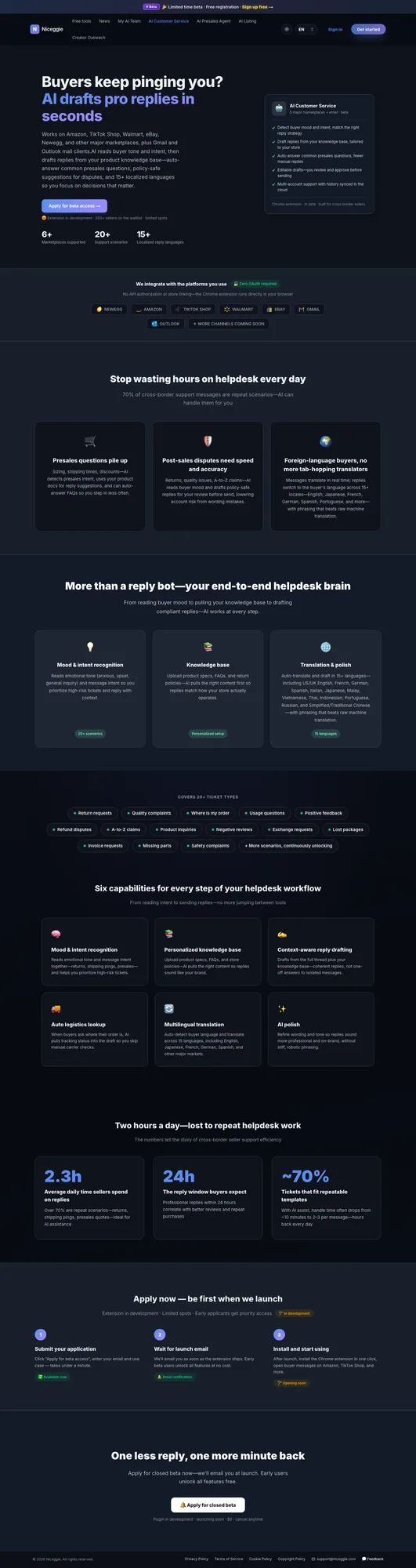
30 seconds: one support message, from inbox to sent reply
Product demo · 0:29 · English on-screen copy, no narration. AI Customer Service pulls buyer messages from Amazon, Walmart, Newegg, eBay, Best Buy and TikTok Shop into one workbench, drafts replies from your own return policy, and surfaces urgent disputes first.
What the video shows (text version)
- 0:00 · A marketplace inbox fills up: "Where is my order?", "Item arrived damaged", "I want to return this", "Wrong size — can I exchange?", "Refund not received yet". The count waiting for a reply climbs from 1 to 5. Every order can come back as a question.
- 0:04 · The hours a buyer has been waiting tick past on a clock face.
- 0:08 · Amazon, Walmart, Newegg, eBay, Best Buy and TikTok Shop all feed one inbox with All / Open / Urgent filters. One workbench for every channel.
- 0:10 · A German buyer asks "Wo ist meine Bestellung?". The workbench reads the order (language Deutsch, status Shipped, delivery Friday) and drafts the reply in German. It reads the order, not a template.
- 0:14 · The disputes and claims list is sorted by urgency; an A-to-Z claim ("Item not as described", negative sentiment) is flagged to the top.
- 0:18 · The seller's own Return & Refund Policy (30-day return window, same-day replacement for damaged-on-arrival, refunds to the original payment method, anything outside the policy goes to a human) becomes the auto-reply rules.
- 0:22 · Result card: 70%+ of after-sales messages resolved end to end and 30% lower support operating cost, measured on Newegg internal usage data.
- 0:26 · Closing title: AI Customer Service — after-sales, handled in one place.
Product form
AI Customer Service is a web workbench — used inside Niceggie, and it doesn't run on top of any marketplace's seller pages.
Where it works
| Channels | Connection method | Status |
|---|---|---|
| Amazon, Newegg, Walmart | Email connection — link the support mailbox that receives buyer messages | ✅ Open |
| eBay, Best Buy, TikTok Shop | Store channel authorization — on-platform messages sync into the workbench automatically | ✅ Open |
- 6 marketplaces: Newegg, Amazon, Walmart, eBay, Best Buy, TikTok Shop
- 10+ mail providers: Outlook, Hotmail, Gmail / Google Workspace, QQ Mail, 126/163, Tencent, Alibaba Cloud, Feishu, Zoho, 263 and more — see the full list in the Email Authorization Guide → (used for the email channels; not counted in the marketplace total)
- 15 languages for auto-translation and reply drafting: US/UK English, French, German, Spanish, Italian, Japanese, Malay, Vietnamese, Thai, Indonesian, Portuguese, Russian, and Simplified and Traditional Chinese
Core capabilities
| Capability | Description |
|---|---|
| 🧠 Sentiment & intent detection | Flag emotional cues (anxiety, dissatisfaction, inquiry) and intent so high-risk messages float to the top |
| 📚 Personalized knowledge base | Upload product specs, FAQs, return policies — AI uses them when drafting replies |
| ✍️ Context-aware replies | Drafts use the full conversation history plus knowledge base content; once sent, the reply looks like a native marketplace reply |
| 🚚 Auto shipping lookup | For order-status / shipping questions, AI pulls the real tracking state into the draft |
| 🌐 Multilingual | 15 languages auto-detected; replies sound native, not machine-translated |
| ✨ AI polish | Tightens tone and wording so replies stay professional and on-brand |
| ⚙️ Auto-reply rules | Recurring questions can be answered without you — knowledge-base-driven AI replies or fixed template replies, with conditions you set (see below) |
20+ scenarios covered
Return requests · Quality complaints · Where is my order · Usage questions · Positive feedback · Refund disputes · A-to-Z claims · Product inquiries · Negative reviews · Exchange requests · Lost packages · Invoice requests · Missing parts · Safety complaints · More on the way
Does AI send replies automatically?
By default, no. AI only drafts. You confirm in the workbench, editing if you like, and only then is the reply sent — it goes straight to the buyer, so there is no copy-pasting into a seller console.
If you want recurring questions handled without you, turn on an auto-reply rule for them (next section). Everything a rule doesn't match still waits for your confirmation.
Auto-reply rules
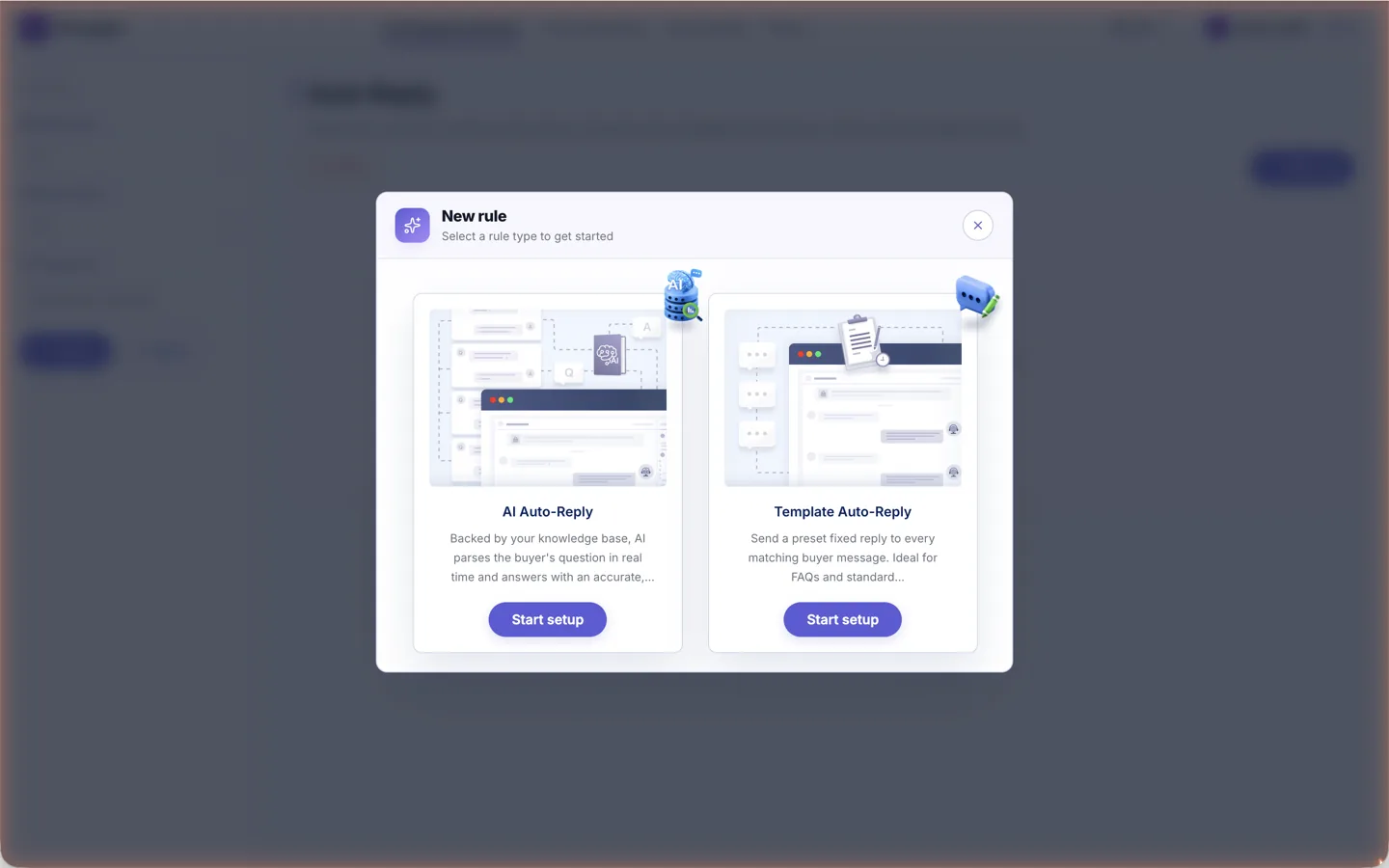
Under AI Customer Service → Automation Rules → Auto Reply in the top bar you can set up rules that run on newly received buyer messages; they are open to every account. Each rule is built in three steps — pick the target (buyer messages), set trigger conditions (channel store, inquiry type, buyer sentiment), then configure the action.
| Type | What it does |
|---|---|
| 💬 AI Auto-Reply | Answers from your knowledge base, with an optional general-purpose reply for greetings and thanks, a max number of reply rounds (1–3), and a one-time fallback reply that hands the thread to a person when nothing matches. Rules can run at all times, on weekends only, or in a time window in your timezone |
| 📋 Template Auto-Reply | Sends one fixed message template to every matching message; system variables such as buyer name, channel order number, order status and tracking number are filled with real data when sent |
Auto-reply rules come with a test sandbox: type a message as the buyer, see whether the rule fires, and read the reason for each reply (answered from the knowledge base, fallback sent, no response needed, max rounds reached and so on). Testing never touches real buyer conversations.
The full walkthrough — steps, conditions and message-template variables — is in Auto-Reply Rules Setup →.
Signed in: the workbench
Sign in on the product page and Open messages takes you to the customer messages workbench:
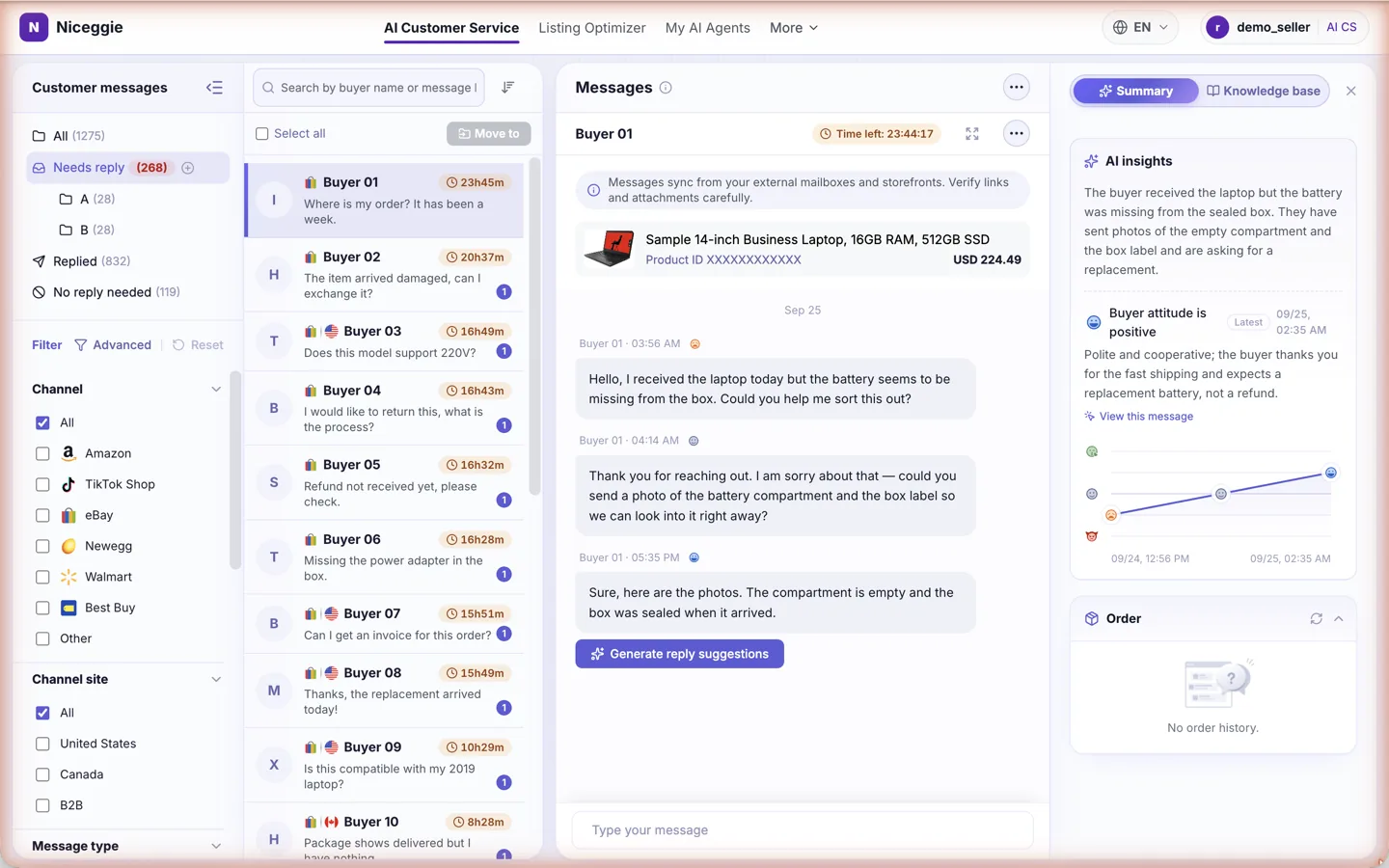
- 📥 Customer messages — folders for All, Needs reply, Replied and No reply needed, plus up to 10 folders of your own; the Needs reply count shows what is waiting
- 🔍 Filters — narrow the list by channel (Amazon, TikTok Shop, eBay, Newegg, Walmart, Best Buy, Other), channel site, message type, inquiry type and order / return status; search by buyer name or keyword
- 💬 Conversation — each thread shows the linked product and order card, the buyer's messages with the response countdown, and a composer with AI draft, AI polish, translation and attachments; Send delivers the reply to the buyer on the channel
- ✨ AI insights — a summary of the conversation, the buyer's attitude and sentiment trend, and the order panel with live tracking; the Knowledge base tab surfaces matching entries
- ⚙️ Customer Service Channels opens from the header — bind mailboxes and see which stores are connected; auto-reply rules live under AI Customer Service → Automation Rules in the top bar
Real numbers
Measured in Newegg's own internal usage of AI Customer Service:
| Metric | Result | How it was measured |
|---|---|---|
| Average first response time | 4 min | End-to-end first response time after AI drafting was enabled |
| Ticket auto-resolution rate | 70%+ | Measured end-to-end, excluding the inflated "never escalated = resolved" method |
| Support operating cost | -30% | Support labor cost compared with the period before AI deployment |
For context, the industry benchmarks behind those gains: sellers spend 2.3 h a day replying to buyers, buyers expect a professional reply within 24 h, and ~70% of customer messages are repetitive, templatable scenarios.
What it costs
Free until you use AI features, then billed in AI credits: reply suggestions, AI polishing, drafts and message translation each use credits, and every incoming buyer message is auto-translated and organized for 1 credit. Credits reset on a rolling cycle. No credit card is needed to start.
Four steps to get started
All four steps are self-serve — nothing to apply for.
- Create your Niceggie account — signing up takes seconds, and logging in drops you straight into the AI Customer Service workbench: open the product page
- Link your support mailbox — buyer messages from Amazon, Newegg and Walmart arrive through a linked mailbox. Works with Outlook, Hotmail, Gmail / Google Workspace, QQ Mail, 126/163, Tencent, Alibaba Cloud, Feishu, Zoho, 263 and more; read the Email Authorization Guide → first. While binding, you can pick which authorized stores the mailbox syncs messages for
- Authorize your store channels — eBay, Best Buy and TikTok Shop connect via store authorization under User Center → Authorization → Channel stores. Once authorized, on-platform messages sync into the workbench automatically, and no separate mailbox is needed for them
- Set up the knowledge base and let AI reply — add your product info and after-sales policies (see the knowledge base page →); AI drafts replies from them, you confirm in the workbench and it goes straight to the buyer. Put recurring questions on auto-reply rules
FAQ
Which marketplaces and mailboxes does AI Customer Service support?
Six marketplaces: Amazon, Newegg, Walmart, eBay, Best Buy and TikTok Shop. Amazon, Newegg and Walmart buyer messages arrive through a linked support mailbox (Outlook, Gmail, QQ Mail and other major business providers, 10+ in all); eBay, Best Buy and TikTok Shop connect through store authorization. All six channels are open.
Does the AI send replies to buyers automatically?
Not unless you tell it to. AI drafts; you confirm in the workbench, editing if you like, and only then is the reply sent. Recurring questions can be handed to an auto-reply rule, which answers on its own within the conditions and reply limits you set.
How is this different from an ordinary support bot?
Ordinary bots fill in templates. Niceggie AI Customer Service drafts from your store's order and shipping data: when a buyer asks where their order is, the AI answers from the real tracking status. It covers after-sales email and marketplace tickets, and complex cases can be handed to a person.
What does it cost?
Free until you use AI features, then billed in AI credits: reply suggestions, AI polishing, drafts and message translation each use credits, and every incoming buyer message is auto-translated and organized for 1 credit. Credits reset on a rolling cycle. No credit card is needed to start.
Which languages are supported?
Auto-translation and reply drafting in 15 languages, including US/UK English, French, German, Spanish, Italian, Japanese, Malay, Vietnamese, Thai, Indonesian, Portuguese, Russian, and Simplified and Traditional Chinese.
Can I use it today?
Yes. Create a Niceggie account and the workbench opens right away — linking a support mailbox, authorizing store channels, setting up the knowledge base and writing auto-reply rules are all self-serve, with nothing to apply for.
Get started
- Start free → — all six channels open · free until you use AI · no credit card
- Enterprise / Custom / On-premise: use the "Contact Us" form on the product page
- Before connecting your support mailbox, read the Email Authorization Guide → — it covers the email channels (Amazon, Newegg, Walmart) and 10+ mail providers, including Outlook, Gmail and QQ Mail