TikTok Creator Outreach
In one line: A Chrome / Edge extension that runs directly on TikTok. AI analyzes creator content style, generates personalized invitations in bulk, and tracks responses — 5× faster outreach.
Overview
The Niceggie browser extension currently provides the Creator Outreach feature, helping you connect with creators on TikTok Affiliate Center quickly and at scale.
How to Install the Extension
The Niceggie extension is compatible with Chrome and Edge. Follow the steps below based on the browser you use.
Chrome / Edge Users
- Install the extension from Chrome Web Store.
- Click the "Add to Chrome" button on the page.
- Click "Add extension" in the confirmation popup to complete installation.
Note for Edge Users
Edge users should copy the installation link above and paste it into the Edge address bar to open and install.
After installation
Restart your browser and sign in to your Niceggie account to start using the AI-powered operations assistant. If you run into any installation issue, contact our official customer support.
Chrome Web Store unreachable?
Grab the Download offline package link on the product page and install it manually.
How to Use Creator Outreach
The Creator Outreach feature runs on the following TikTok Affiliate Center pages, letting you batch-connect with creators efficiently:
- Find Creators page
- Target Collaboration Detail page
- Sample Requests (
ShippedandContent Pendingpages)
Step 1: Filter Creators
- Sign in to the TikTok Affiliate Center.
- Open the Find Creators page (or any of the supported pages) and filter creators by category, follower count, engagement rate, etc.
- Open the Niceggie extension and click "Creator Outreach" to enter the panel.
Step 2: Set Up Invitation Details
In the invitation panel, pick one of the following creator sources:
- TikTok page filter results: use the creator list filtered directly from the current TikTok page. You can save filters as templates and reuse them later — or pick an existing template to locate target creators quickly.
- Niceggie creator groups: if you already maintain creator groups in Niceggie, you can select a group here and batch-send to all of them.
- Custom creator ID list: paste a list of creator IDs and the extension will batch-message them.
Configure the invitation payload:
- Message template: pick a saved message template. If you haven't created one yet, click "Manage Message Templates" to create and save it.
- Attach product: enter a TikTok product ID to load product info into the message.
- Promotional images: upload promo images, product shots, or other attachments so creators can see the collaboration at a glance.
- Creator filters: set up blacklists or exclude creators you have previously contacted, to avoid duplicate outreach.
Step 3: Send Invitations
- After configuring the above, click "Send". The extension starts batch-sending at a controlled cadence.
- Sending progress updates in real time on the panel. You can pause or resume the task at any time.
- Once sending finishes, head to the Creator Outreach dashboard in your Niceggie account to track delivery, read, and reply status for each message.
Keep the page open
To avoid interrupting the task, keep the current TikTok page open until the progress bar finishes before switching tabs or closing the window.
Core Capabilities
| Capability | Description |
|---|---|
| 🤖 AI personalized invites | Based on each creator's content style and recent videos |
| 📬 Bulk send management | Set send cadence (avoid platform limits), auto-log status |
| 📋 Outreach list management | Group by category, budget, status; export CSV |
| 🔎 Creator profile analysis | Auto-pull follower count, engagement rate, content category, audience profile — 🔜 Coming soon |
| 🎯 Brand-fit scoring | AI scores creator match against your brand voice |
| 🔓 Zero authorization | No TikTok Creator Marketplace access needed |
| 📊 Data-driven strategy | Track open and reply rates per outreach; AI identifies which creator types and message templates perform best — 🔜 Coming soon |
Why AI-powered Outreach
From Newegg's own internal usage of Creator Outreach:
| Metric | Result |
|---|---|
| Outreach speed | 5× faster |
| Average reply rate | 23% |
| Daily touches | 100+ |
| Creator niches covered | 10+ |
| Manual outreach effort | ~80% less |
AI reads each creator's content style and recent videos and writes an individual invite that references their specific content, instead of sending the same template to everyone — that is where the reply rate comes from.
Security & trust, by design
| Principle | What it means |
|---|---|
| 🖥️ Runs locally | The extension runs in your own browser — to TikTok, it looks like normal creator-page browsing and in-app messaging |
| 🔓 Zero authorization | No Creator Marketplace API OAuth, no account binding, no passwords — install and use while you browse |
| 🔐 No login takeover | We never ask for or store your TikTok password and never take over your account; outreach runs in your signed-in browser session, and only after you confirm |
Local execution, zero OAuth, and no login takeover mean that to the platform, the extension is essentially the same as browsing and messaging manually — so by design it adds no extra risk to your account.
Signed in: Outreach Logs
The extension works without an account, but signing in on the product page unlocks an Outreach Logs console — every outreach record you send from the extension syncs here.
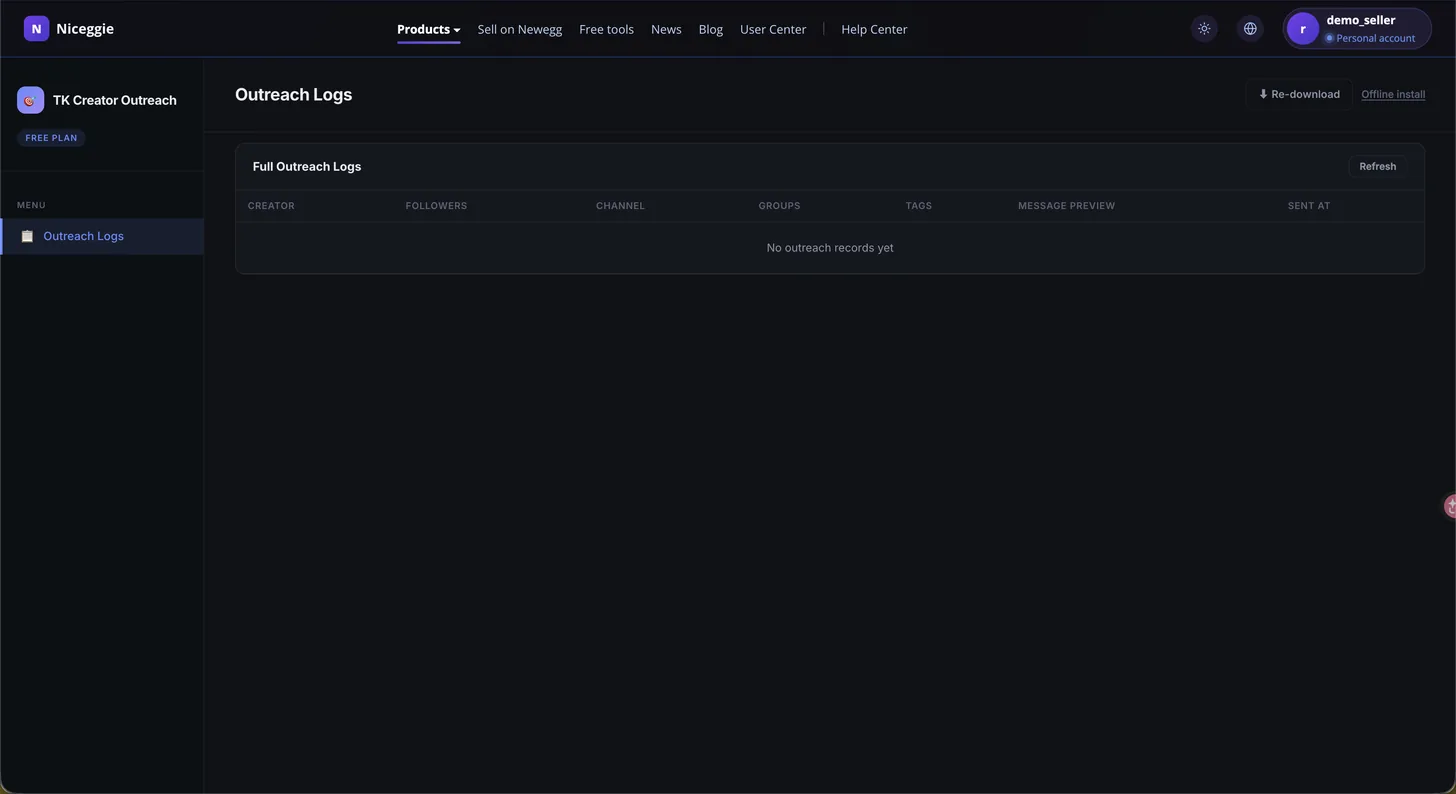
- 📋 Outreach Logs — one row per outreach record, with columns for creator, followers, channel, groups, tags, message preview, and sent time; a refresh action pulls in the latest sends from the extension
- ⬇️ Re-download the extension anytime
- 📦 Offline install package also available from the console
FAQs
Why can't I use the extension's new features?
The extension usually updates automatically after a new release. If you are on Chrome, make sure your proxy is enabled — otherwise the auto-update may fail. You can also manually check or reinstall the latest version from the browser's extension management page.
Can I close the browser while sending?
No. To avoid interrupting the task, keep the page open until sending finishes. If you need to stop, use the pause button on the panel.
Do I need TikTok official authorization?
No. The Niceggie Creator Outreach extension runs directly on your signed-in TikTok Affiliate Center page — no TikTok Creator Marketplace authorization required.